
💭 Sochiye…
Aapka phone bilkul normal chal raha hota hai. Calls aa rahi hoti hain, internet kaam kar raha hota hai.
Lekin dheere-dheere kuch unusual cheezein notice hone lagti hain:
- 🔋 Battery bahut jaldi drain ho rahi hai
- 📶 Mobile data bina use ke khatam ho raha hai
- 📩 Unknown OTP messages aa rahe hain
- 📱 Phone slow ho gaya hai bina clear reason
- 👀 Kuch apps aapne install nahi ki, phir bhi dikh rahi hain
Aksar log sochte hain ki phone purana ho gaya hai ya storage full hai.
Lekin kai situations me ye sab early signs hote hain — aur yahin se sawal shuru hota hai:
👉 How to check if phone is hacked
Bahut se users ko tab samajh aata hai jab:
- WhatsApp se unknown messages forward hone lagte hain
- Bank se OTP aane lagte hain bina transaction ke
- Ya SIM network achanak band ho jata hai
Tab log search karte hain: how to check if phone is hacked — lekin unhe clear, simple aur practical guide nahi milti.
Is guide me hum step-by-step samjhenge:
- Phone hacked hone ke real warning signs kya hote hain
- Hacker phone tak access kaise leta hai
- Agar doubt ho to turant kya karna chahiye
- Aur future me phone ko secure kaise rakhna hai
- How to check if phone is hacked
Ye guide un users ke liye hai jo technical background se nahi hain, lekin genuinely samajhna chahte hain how to check if phone is hacked in a practical way.
Neeche diya gaya visual in common signs ko quickly samajhne me help karega.
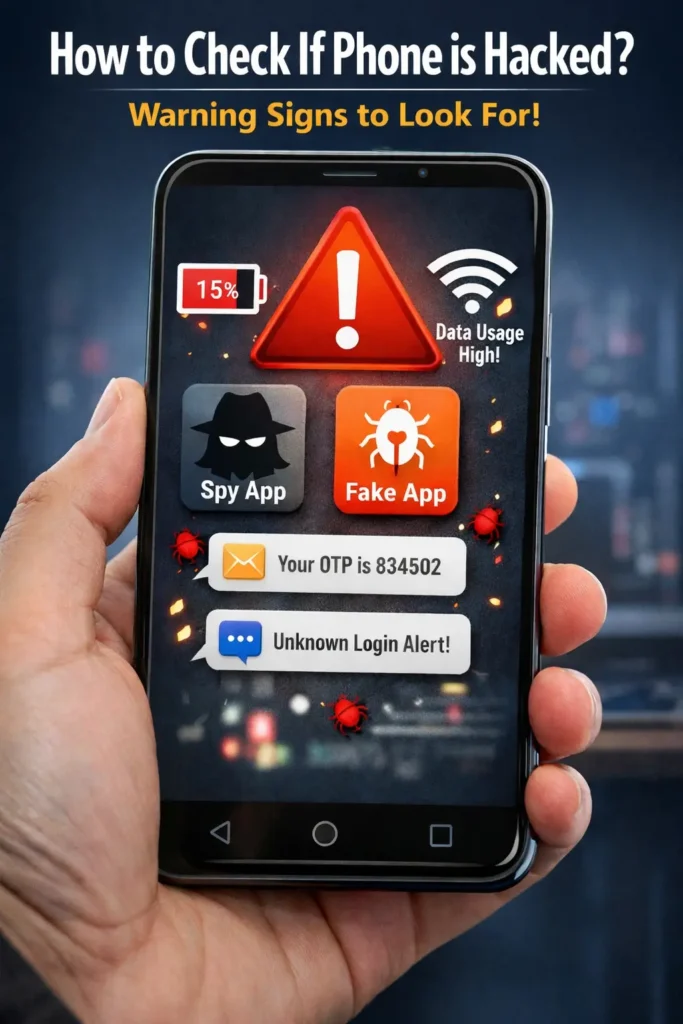
🔍 Warning Signs Ki Aapka Phone Hack Ho Sakta Hai
In signs ko samajhna hi first step hai to understand how to check if phone is hacked.
Zyada log tab realize karte hain jab damage ho chuka hota hai.
Lekin phone hack hone se pehle device hamesha clear warning signs deta hai. Sirf unhe notice karna zaruri hota hai.
Agar aapko inme se 2–3 signs ek saath dikh rahe hain, to chances high hain ki phone safe nahi hai.
How to check if phone is hacked Warning signs below:
📉 1. Data Bahut Jaldi Khatam Hona
Aap normal use kar rahe ho, phir bhi data unusually fast khatam ho raha hai.
Ye tab hota hai jab koi malicious app ya spyware background me data send kar raha hota hai unknown servers par.
⚠️ Background data activity compromised phone ka early sign hota hai.
🔋 2. Battery Fast Drain Hona
Phone standby par hai, phir bhi battery fast gir rahi hai.
Hidden apps aur spyware 24×7 background me run karte rehte hain, jo battery ko heavily drain karte hain.
Agar phone bina use ke garam ho raha hai, ye serious red flag hai.
🧩 3. Unknown Apps Jo Aapne Install Nahi Kiye
Kabhi-kabhi app list me aise apps dikhte hain jinke naam hote hain:
- System Service
- Device Helper
- Update Service
Ye apps apna icon hide kar dete hain aur silently run karte rehte hain.
Aise apps ko kabhi ignore na karein.
✉️ 4. OTP Messages Jo Aapne Request Nahi Kiye
Aapko bank, UPI apps, email ya social media ke OTP messages aane lagte hain bina login try kiye.
Ye clear signal hota hai ki koi aur aapke accounts access karne ki koshish kar raha hai.
🚨 5. Unknown Login Alerts
Aapko alert milta hai:
“New login detected from another device”
Iska matlab ho sakta hai ki aapke credentials already leak ho chuke hain.
🌐 6. Browser Pop-ups, Ads, Ya Automatic Redirect
Agar browser khud se strange websites open kar raha hai ya excessive ads dikha raha hai, to usually koi malicious app phone me present hota hai.
🎙️ 7. Mic / Camera Indicator Khud Se On Hona
Kabhi notice kiya hoga — camera ya mic ka green/orange dot bina reason ke blink hota hai.
Iska matlab koi app background me camera ya mic access kar raha hai.
📨 8. SMS Automatically Send Hona
Outbox me aise SMS dikhte hain jo aapne bheje hi nahi.
Ye malware ka sign hota hai jo premium numbers ya unknown contacts par SMS bhejta hai.
⚙️ 9. Phone Settings Automatically Change Hona
- Unknown apps ko permissions mil jati hain
- Play Protect off milta hai
- Install from unknown sources ON ho jata hai
Ye sab manually nahi hota — ye remote control ka sign hai.
🧠 10. Phone Unusually Slow Ho Jana
Agar phone hang, lag, ya freeze ho raha hai bina heavy apps ke, to background processes unusual lagte hain.
Spyware RAM aur CPU silently use karta hai.
🧾 11. Google Account Security Alerts
Google se mails aate hain:
“Security activity detected”
“Your password was changed”
Ye tab aata hai jab koi aapka device access karke account me ghusne ki koshish karta hai.
📍 12. Location Icon Bar-Bar On Rehna
GPS icon frequently on rehta hai even jab aap maps use nahi kar rahe.
Ye sign hai ki aapki live location track ho rahi hai.
🛠️ Hackers Phone Hack kaise karate hai (Simple Samjho)
Ab tak aapne warning signs dekhe. Ab samjhte hain hackers phone tak pahunchte kaise hain.
Bahut log sochte hain hacking matlab high-tech coding.
Reality me, zyada cases me hackers aapki galti + trick ka use karte hain.
Neeche real methods hain jo India me common hain — simple language me 👇
🔗 1. Fake Links (SMS / WhatsApp / Email)
How to check if phone is hacked me ye sabse important point hai.
Aapko message aata hai:
“KYC update karein”
“Bank account block ho jayega”
“Courier pending hai”
Aap link par click karte ho → fake website open hoti hai → details enter karte ho.
⚠️ Isi se phone access, OTP access, aur account compromise hota hai.
📲 2. Unknown APK / Mod Apps Install Karna
- Free movie app
- Mod WhatsApp / Instagram
- Cracked games
Ye apps Play Store par nahi hote. Inme hidden spyware hota hai.
Install karte hi:
- SMS read
- Calls access
- Screen record
☎️ 3. Remote Access App Install Karwana (Call Par)
Scammer bolta hai:
“Sir AnyDesk / TeamViewer install karo, main help karta hoon”
Jaise hi install karte ho, wo aapka phone live control kar leta hai.
Aap dekhte rehte ho, wo phone chalata rehta hai.
🧾 4. Fake Customer Care Numbers (Google Search)
Aap search karte ho:
“Bank customer care number”
Top me fake number milta hai. Call karte ho. Wo aapse:
- Card details
- OTP
- Screen share
sab le leta hai.
🧠 5. Social Engineering
Ye technical nahi hota. Ye emotional trick hota hai.
Examples:
- “Main bank se bol raha hoon”
- “Aapka SIM band ho jayega”
- “Aapka parcel illegal nikla”
Aap panic me info de dete ho.
📡 6. Public Wi-Fi Se Data Capture
Railway, cafe, mall Wi-Fi use karte waqt:
Agar site HTTPS nahi hai, to data intercept ho sakta hai.
Passwords, logins capture ho sakte hain.
🧩 Quick Summary Table
| Method | User Kya Karta Hai | Hacker Kya Paata Hai |
|---|---|---|
| Fake link click | Details fill karta hai | OTP, login access |
| APK install | Unknown app install | SMS, calls, screen data |
| Remote app | Screen share allow | Full phone control |
| Fake support call | OTP share | Bank / UPI access |
| Social trick | Personal info de deta | Identity misuse |
| Public Wi-Fi | Unsafe browsing | Password capture |
🚑 Agar Doubt Ho Ki Phone Hacked Hai — Turant Kya Karein
| Step | Kya Karein | Kyun Zaruri Hai |
|---|---|---|
| Internet off | Data/Wi-Fi band | Data leak rukta hai |
| Apps check | Unknown apps delete | Spyware remove hota hai |
| Password change | Safe device se | Account secure hota hai |
| Scan | Play Protect | Malware detect hota hai |
| SIM check | Network observe | SIM swap doubt clear |
| Reset | Backup ke baad | Full clean start |
⚙️ (2 Minutes Safety Check)
🔍 Safety Check Table
| Setting | Kahan Milegi | Kya Suspicious Hai |
|---|---|---|
| App Permissions | Settings → Privacy → Permission Manager | Unknown app ko SMS, Calls, Mic access |
| Install Unknown Apps | Settings → Security | ON hona (off hona chahiye) |
| Device Admin Apps | Settings → Security → Device admin | Unknown app listed |
| Accessibility | Settings → Accessibility | Unknown service enabled |
| Play Protect | Play Store → Profile → Play Protect | Turned OFF |
| Data Usage | Settings → Network → Data usage | Unknown app high data use |
| Google Security | myaccount.google.com/security | Unknown device login |
🛡️ Future Me Phone Hack Hone Se Bache –
- ✅ Sirf Play Store se hi apps install karein
- ✅ Unknown links par kabhi click na karein
- ✅ OTP kisi ko bhi share na karein
- ✅ Phone me screen lock aur SIM lock samajhkar use karein
- ✅ Regularly app permissions check karte rahein
- ✅ Public Wi-Fi par banking ya login avoid karein
- ✅ Google Play Protect ON rakhein
Agar ye preventions follow karoge to aapka phone kaafi had tak safe rahega.
This is the most practical way to understand how to check if phone is hacked before serious damage happens.
🔗 Related Safety Guides (Internal Links)
Agar aap samajh rahe hain how to check if phone is hacked, to ye related guides bhi aapko poori picture samjhane me madad karenge:
👉 SIM Swap Fraud Kaise Hota Hai Aur Kaise Bachein
👉 SIM Lock Password Forgot? PUK Code Se Unlock Guide
👉 Truecaller Privacy Review – Kya Safe Hai?
👉 Best Truecaller Alternatives (Privacy Friendly Apps)
🔗 External Security Resources
❓ FAQs — How to Check If Phone Is Hacked
Q1. Kaise pata chale ki mera phone hacked hai?
Agar battery fast drain ho rahi hai, unknown apps dikh rahi hain, OTP messages aa rahe hain ya data khud use ho raha hai, to ye early signs ho sakte hain. In signs ko ignore na karein.
Q2. Kya sirf link par click karne se phone hack ho sakta hai?
Haan. Fake links par details enter karne ya malicious APK install karne se phone compromise ho sakta hai.
Q3. Kya factory reset se hacking problem solve ho jaati hai?
Zyadatar cases me haan. Lekin reset se pehle passwords change karna zaruri hai.
Q4. Kya antivirus app se phone safe ho jata hai?
Antivirus help karta hai, lekin sabse badi security aapki awareness aur safe habits hoti hain.
✅ Conclusion — How to Check If Phone Is Hacked
Agar aapko lag raha hai ki phone unusual behave kar raha hai, to ise chhota issue samajhkar ignore na karein. Early signs ko pehchanna hi sabse bada protection hai.
Is guide me aapne dekha:
- Warning signs jo log miss kar dete hain
- Hackers phone tak kaise pahunchte hain
- Doubt hone par turant kya karna chahiye
- Kaun si settings check karni zaruri hain
Agar aap time par in signs ko pehchan lete ho, to kisi bhi serious damage se pehle hi aap phone ko secure kar sakte ho.
Ab aap practical tarike se samajh sakte hain how to check if phone is hacked bina kisi technical confusion ke.